



Why Old-School Workout Building Is Broken
When I started coaching, my Sundays were a crime scene of tabs and templates. I’d copy-paste exercises into Excel, format tables in Word, export to PDF, email it out… and then watch clients ignore half of it. Plans looked clunky, edits took forever, and tracking progress felt like archaeology.
Meanwhile, the top trainers I admired weren’t drowning in spreadsheets. They weren’t reinventing a new plan every week. Their clients actually followed the program—and stuck around.
The difference wasn’t experience or willpower. It was a tool I hadn’t even heard of.
Not another “fitness app” built for consumers. Not some bloated gym management system. A quiet category that lets pros build, tweak, and deliver crystal-clear training plans in minutes—without the admin tax or the copy-paste circus.
In this post, I’ll show you what that tool category is, why the best trainers swear by it, and the one option that’s become my unfair advantage. If you’re still living in Excel, this might be the last weekend you spend formatting workouts.
The Problem With Word, Excel, and DIY Systems
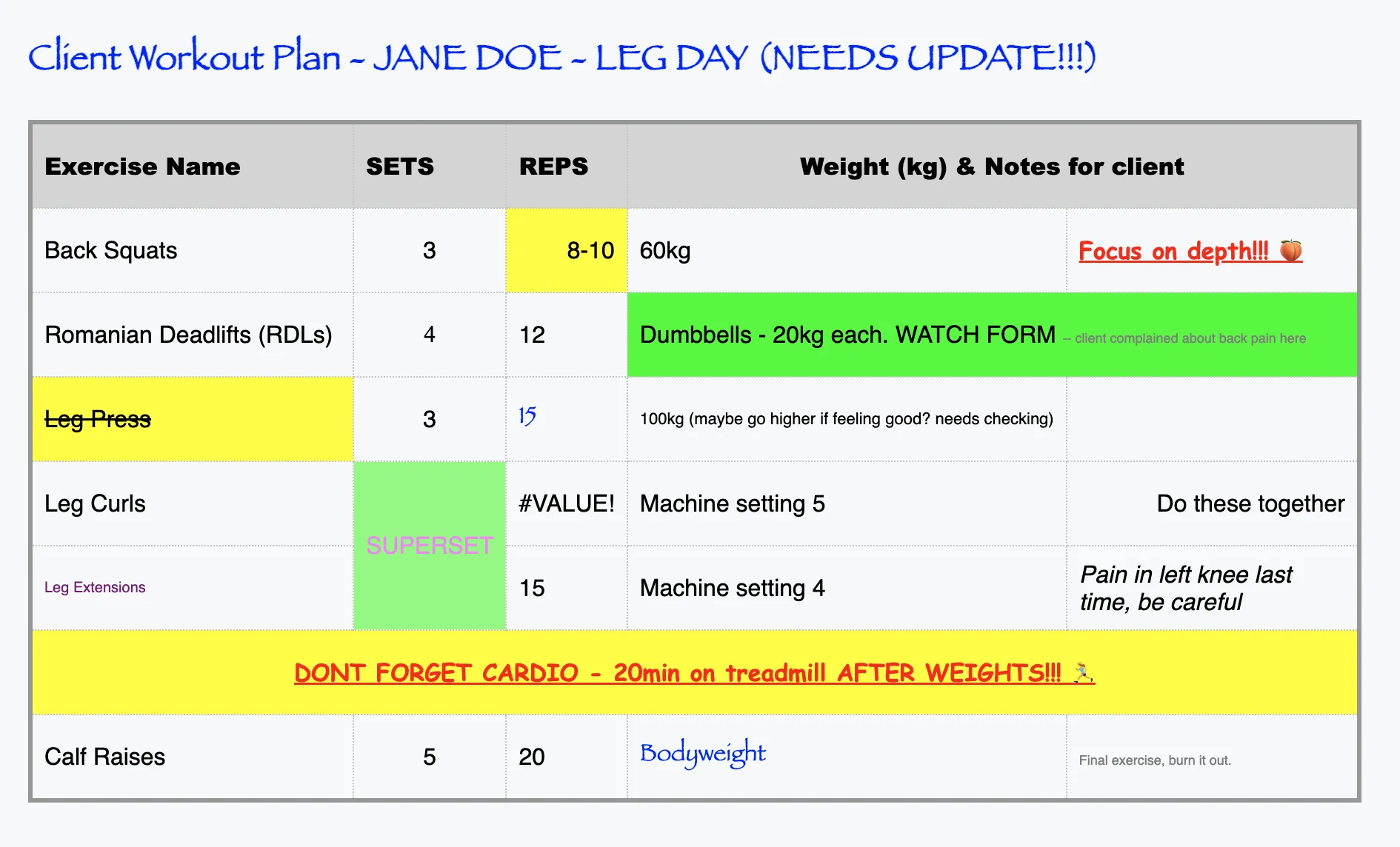
If you’re still building client programs in Word, Excel, or even Google Docs, you know the pain:
- It takes forever. You’re formatting columns, merging cells, copying exercises from old sheets just to make something that looks halfway decent.
- It looks unprofessional. Clients are used to slick apps. Sending them a messy PDF doesn’t exactly scream “expert coach.”
- No tracking. Did they actually complete the workout? Did they hit the right reps and weights? With spreadsheets, you’ll never know until your next check-in.
- Constant updates. Every time a client tweaks their schedule, you’re back in the document editing game.
- Clients disengage. When programs are clunky, they’re less likely to open them—let alone follow them.
The brutal truth?
Manual programming is like writing workout plans on a typewriter in 2025. Trainers who stick to spreadsheets aren’t just wasting time—they’re losing clients to coaches who deliver programs faster, cleaner, and smarter.
Enter the Game-Changer: Exercise Builder Software
Here’s the part that surprised me. The coaches I looked up to weren’t using random spreadsheets or generic consumer fitness apps. They had moved on to something built specifically for professionals:
👉 Exercise Builder Software

Think of it as your command center for programming:
- Drag-and-drop exercises from a pre-built library.
- Auto-generate structured routines in minutes.
- Adjust weights, reps, and progressions without rewriting everything.
- Deliver plans directly to clients through an app they’ll actually open.
- Track compliance so you know who’s doing the work (and who’s ghosting you).
Some call it an exercise program builder, others an exercise routine builder—but at the end of the day, it’s the same thing: a smarter way to create, adjust, and deliver client workouts.
For me, this flipped the script. Suddenly, programming wasn’t this endless copy-paste grind. It was a workflow. Smooth, fast, client-friendly.
And here’s the kicker: while most trainers are still stuck in spreadsheets, the top 5–10% have been quietly using these tools for years. That’s why their business looks streamlined and scalable—because it is.
In a moment, I’ll share the specific software I recommend (and why you probably haven’t heard of it yet).
The Secret Tool I Swear By
I’ve tested almost everything out there — Trainerize, TrueCoach, Virtuagym, even custom Notion templates and Google Sheets hacks. They all work to a degree, but none of them actually made me faster and more professional at the same time.
That changed when I found BenFit.
Most trainers outside of Europe haven’t even heard of it, which is why it feels like a hidden gem. But here’s what stood out to me immediately:
- Setup is lightning fast. I had my first clients running on BenFit in under an afternoon.
- It’s built for trainers, not consumers. Everything is designed around our workflow: building, adjusting, and delivering plans.
- Exercise + Nutrition in one. This is the killer feature. While most tools do one or the other, BenFit combines them so I don’t need to juggle multiple platforms.
- Clients actually love it. Instead of PDF fatigue, they open the app, tick off sets, and track progress. Compliance went up without me nagging.
The result? I cut my programming time by more than half. What used to take me hours each week now takes minutes. And the plans I deliver look like I’ve got a whole back-office team behind me.
I’m not saying this as hype — I’m saying it as someone who’s been where you are: frustrated, burned out from admin, and trying to grow without losing weekends to Excel.
If you’re serious about building a professional coaching business, this is the workout builder for personal trainers that gives you your time back.
How It Stacks Up Against the Alternatives
Now, I know what you’re thinking: “Aren’t there already tools like this? Trainerize? TrueCoach? Virtuagym?” And yes—you’re right. I’ve tested them all.
Here’s the honest breakdown from my experience:
- Trainerize – Solid, global, and packed with features. The downside? It feels bloated. You get lost in menus, and unless you’re managing dozens of clients, it can feel like using enterprise software for a solo coaching business.
- TrueCoach – Clean, simple, and great for communication. But when it comes to automation and nutrition integration, it’s light. You’ll still find yourself patching gaps with other apps.
- Virtuagym – Fantastic if you’re a gym or studio with staff. For a solo trainer, though, it’s overkill. The learning curve is steep, and you’re paying for features you’ll never touch.
- Natty Gains – Smart option if branding is your #1 priority. Their white-label approach makes you look polished, but setup can take time and it’s not as plug-and-play as BenFit.
While these tools have strengths, none of them truly act as a complete exercise program creator. That’s where BenFit nails it: fast setup, integrated nutrition, and a trainer-first design.
That’s why BenFit feels like a secret. It’s not the loudest name in the market, but it’s the one that actually works for what coaches really need.
From Spreadsheet Hell to Sanity
Here’s the part nobody tells you: I used to dread Sundays.
That was my “admin day” — building programs for the week ahead. I’d sit there with Excel tabs open, copying and pasting exercise names, formatting cells, tweaking reps and sets for each client. A single update from one client could derail the whole sheet.
And after all that? Half of them wouldn’t even open the file.
The breaking point came when one client texted me:
“Hey, I can’t read this table on my phone, can you just send me a screenshot?”
That was the moment I realized I wasn’t just wasting my own time — I was also delivering a bad client experience.
Switching to BenFit flipped that on its head. Now I drag and drop exercises, set progressions, and hit send. Clients get a clear, mobile-friendly plan they can actually use in the gym. They check off workouts, track progress, and I can see everything without chasing them down.
What used to eat up hours every week now takes me less than 30 minutes. And honestly? It makes me look like I have a whole tech team behind me.
The difference isn’t subtle — it’s night and day.
The Bottom Line
If you’re still building workouts in Excel or Word, you’re doing it the hard way. That’s exactly where I was—not because I didn’t care about my clients, but because I didn’t know there was a better way.
The truth is, top trainers aren’t more disciplined than you. They’re not grinding more hours behind the scenes. They’re just using better tools.
For me, that tool was BenFit. It gave me back hours of my week, made my plans look professional, and actually got clients to follow through.
Whether you call it an exercise builder, an exercise program builder, an exercise routine builder, or simply the best workout builder for personal trainers—the result is the same: more time for you, better results for your clients.
You’ll wonder how you ever did it the old way.